Windows 10/11 Settings
Depending on OS build version, etc some of these optimization steps might not be needed. Any suggested change
below can be quickly reversed by following the exact same instructions.
Disable Hardware-accelerated GPU scheduling (HAGS).
Start Menu » Graphics settings » Off
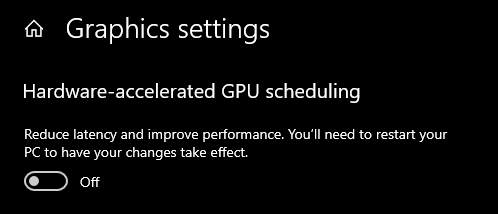
Windows Updates have been known to break this function often so it's best not to gamble with it.
You will need to restart PC to apply these changes.
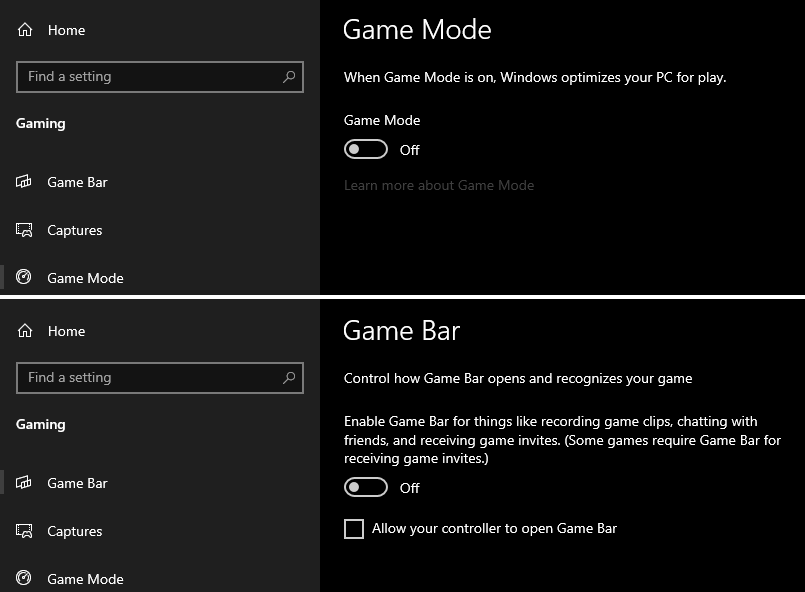
Disable Game Bar & Game Mode.
You can find both settings in the same location by going to:
Start Menu » Game Mode settings » Turn both off in each of their own tabs
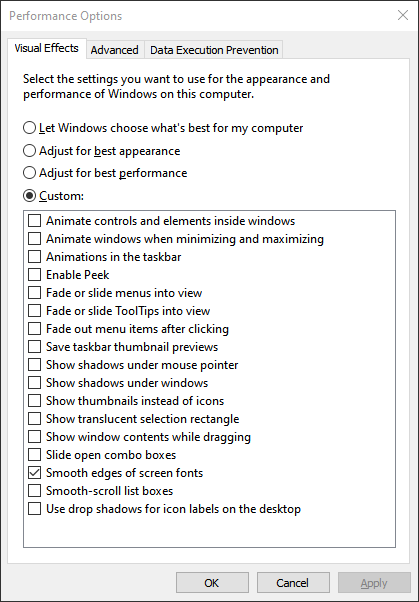
Adjusting Desktop Visual Effects to prefer maximum performance.
This adjustment matters less for high-end PC(s) but you may see some increased responsiveness.
Start Menu » Adjust the appearance and performance of Windows
Select the Custom profile option & make sure only Smooth edges of screen fonts is selected.
Optionally also make sure Show thumbnails instead of icons is checked too for image thumbnails.
Click Apply. Click OK.